
1.Product Introduction #
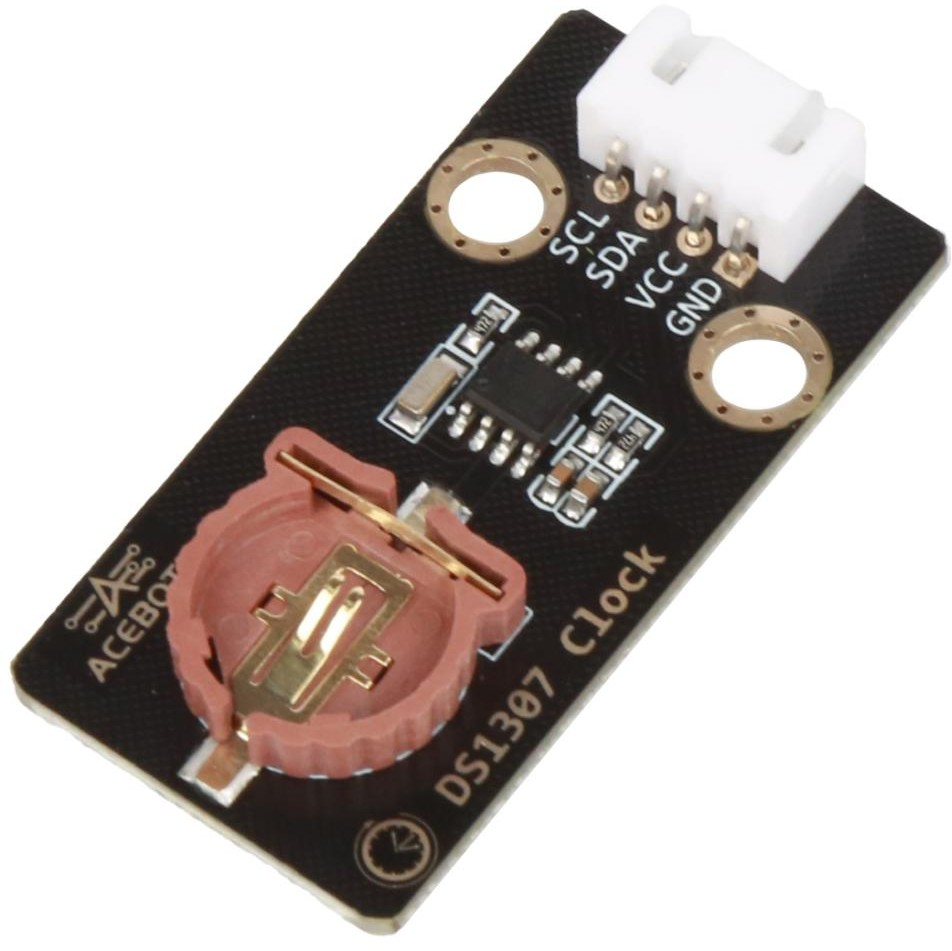
DS1307 is a common Real-Time Clock (RTC) module that integrates clock and calendar functions and can provide accurate time and date information. It is usually used in conjunction with a controller to obtain accurate timestamps or perform timing tasks when there is no network connection.
The DS1307 module communicates via the I2C bus and can be connected to the I2C bus of the microcontroller. It contains a 32kHz real-time clock crystal to provide high-precision time reference. The module also has a battery backup power interface to maintain the stability of time data when the main power is disconnected.
The DS1307 module stores information such as year, month, date, hour, minute, and second internally and can be set and retrieved for time and date information by reading and writing registers.
Application reference: Electronic clocks, timers, timing switches, temperature monitoring, and other scenarios that require precise time.
2.Parameter Specification #
| Parameters | Value/Description |
|---|---|
| Operating voltage | 5V |
| Operating temperature | -40°C~+85°C |
| Storage capacity | 56Byte |
| Clock frequency | 32.768KHz |
| Communication method | IIC |
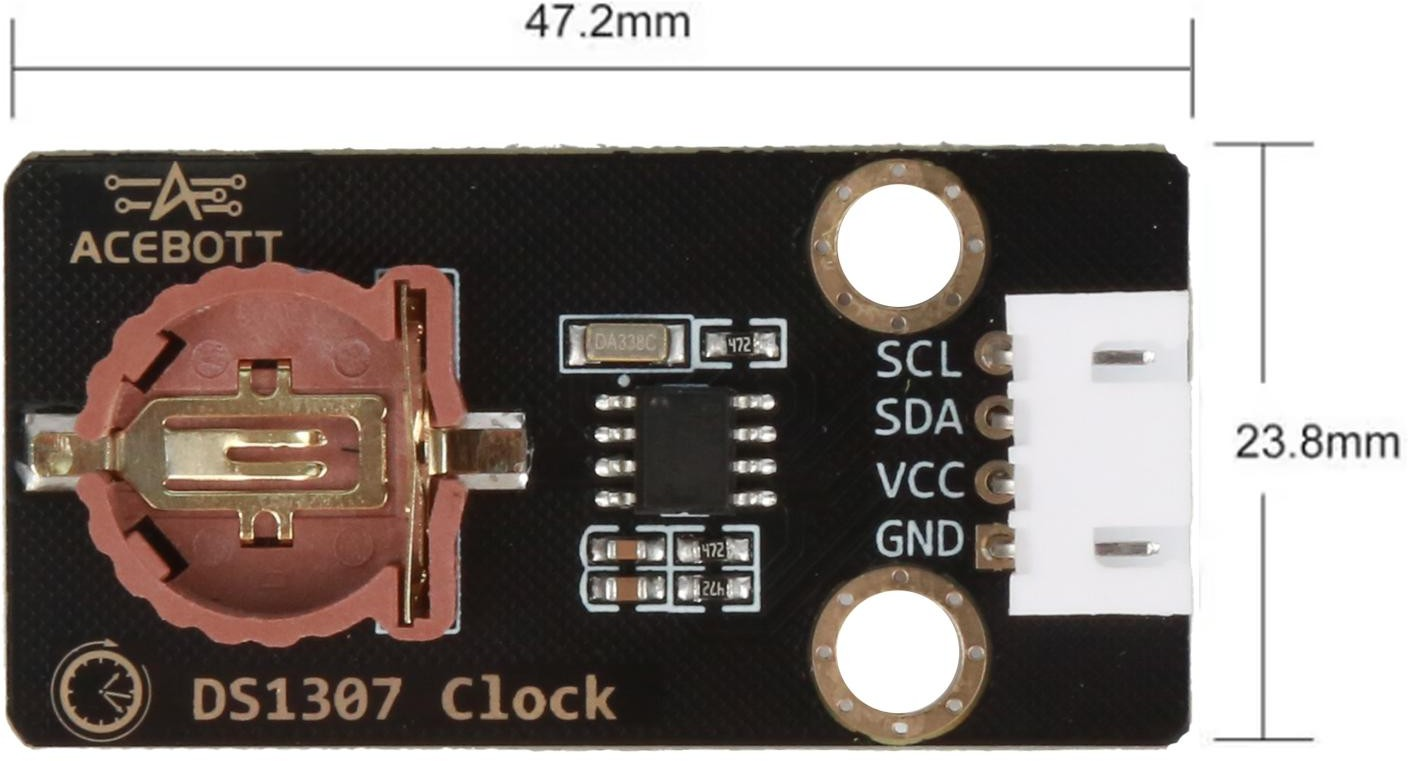
| Size | 4.72cm*2.38cm |
3.Wiring Diagram #
Note:Expansion board is attached to esp32 controller board.
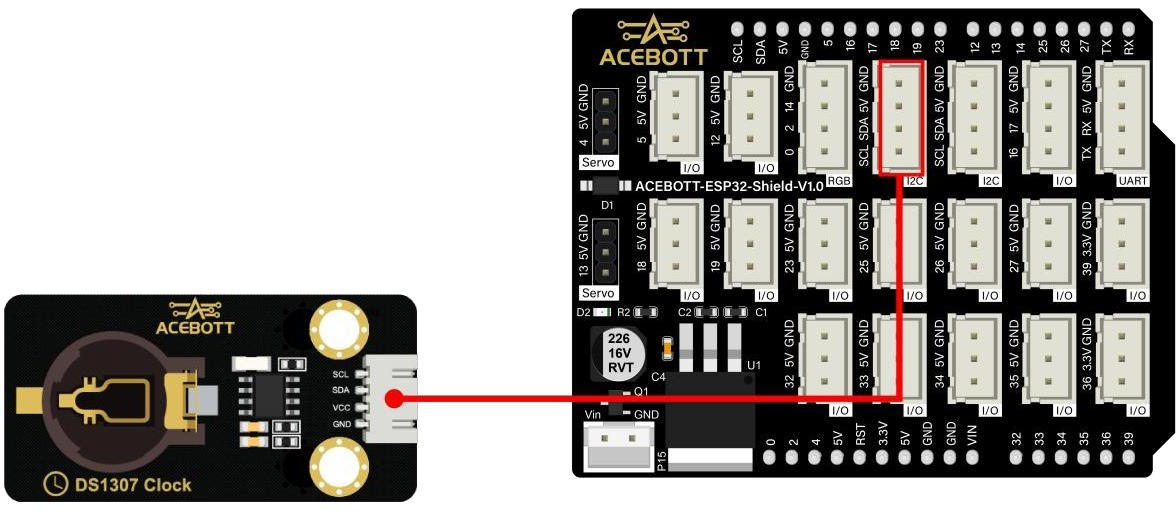
| DS1307 Clock Module | ESP32 |
|---|---|
| VCC | 5V |
| GND | GND |
| SCL | SCL |
| SDA | SDA |
4.Sample Code #
#include <Wire.h> // I2C bus for communication with RTC
#include "RTClib.h" // RTClib library for DS1307 and DS3231
RTC_DS1307 rtc; // Create DS1307 RTC object

void setup() {
Serial.begin(115200); // Start serial monitor
Wire.begin(); // Initialize I2C communication
// Check if RTC module is connected if (!rtc.begin()) {
Serial.println("RTC module not found. Please check wiring!");
while (1); // Stop program if RTC is not detected
}
// Check if RTC is running if (! rtc.isrunning()) {
Serial.println("RTC is not running. Setting time...");
// Set RTC to the time when this code was compiled rtc.adjust(DateTime(F( DATE ), F( TIME )));
// To set a custom time manually, use:
// rtc.adjust(DateTime(2024, 1, 1, 12, 0, 0));
}
}
void loop() {
// Read current time from RTC
DateTime now = rtc.now();
// Print time in YYYY-M-D H:M:S format
Serial.print("Time: ");
Serial.print(now.year());
Serial.print("-");
Serial.print(now.month());
Serial.print("-");
Serial.print(now.day());
Serial.print(" ");
Serial.print(now.hour());
Serial.print(":");
Serial.print(now.minute());
Serial.print(":");
Serial.println(now.second()
);
delay(1000); // Update once per second
}
5.Test Results #
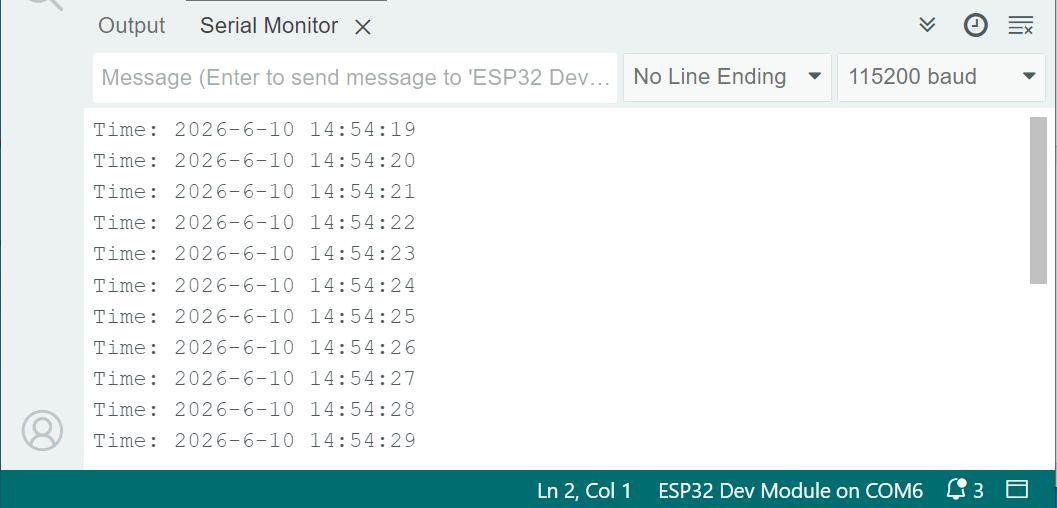
After uploading the code to the controller board, open the serial port monitor of the Arduino IDE, set the baud rate to 115200, and switch to the scroll mode.The serial port will print out the current time.
Note: The timing accuracy of DS1307 is greatly affected by temperature. Long-term operation may result in inaccurate timing. This is a normal phenomenon and does not indicate module damage.
6.Related Resources #


