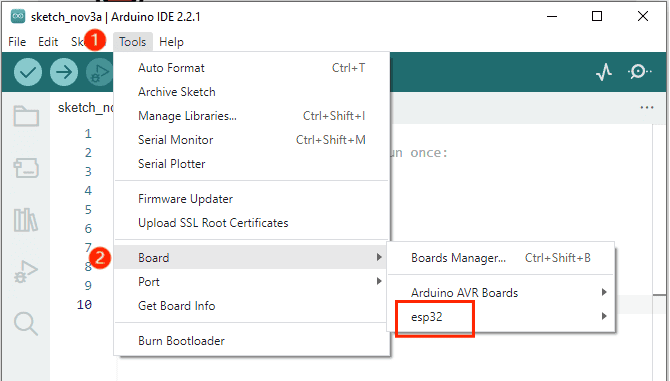
When you open the Arduino IDE, select Tools > Board, you will find that the Arduino IDE only has Arduino AVR Boards and no esp32.
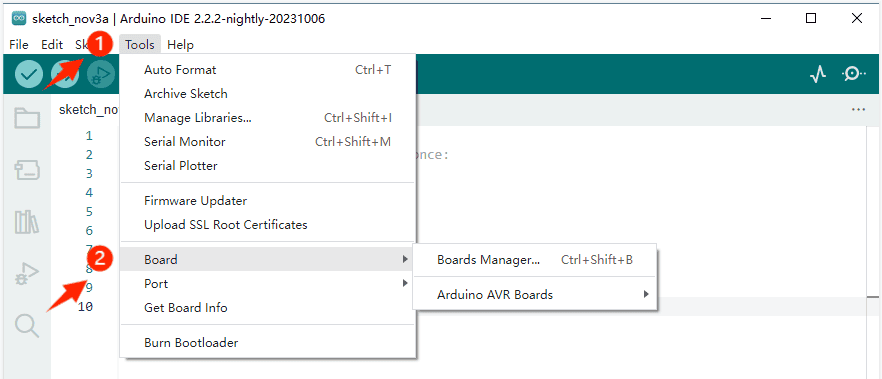
Installation Steps #
So we need to install the ESP32 board in the Arduino IDE. Follow these steps:
Open File >Preferences
 #
#
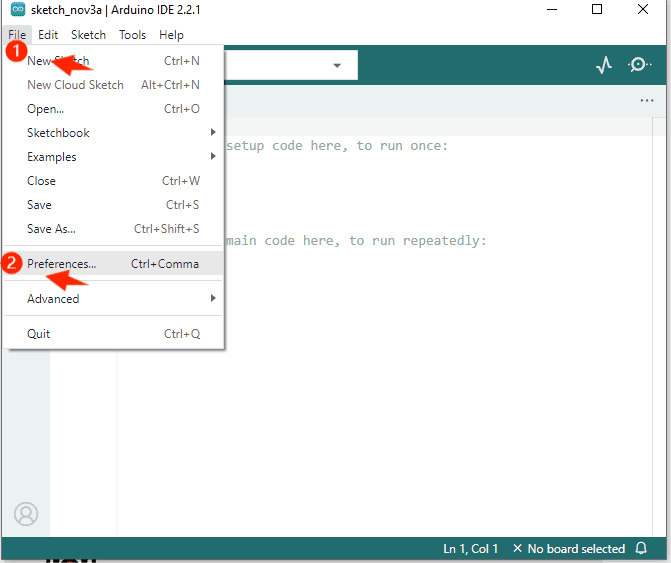
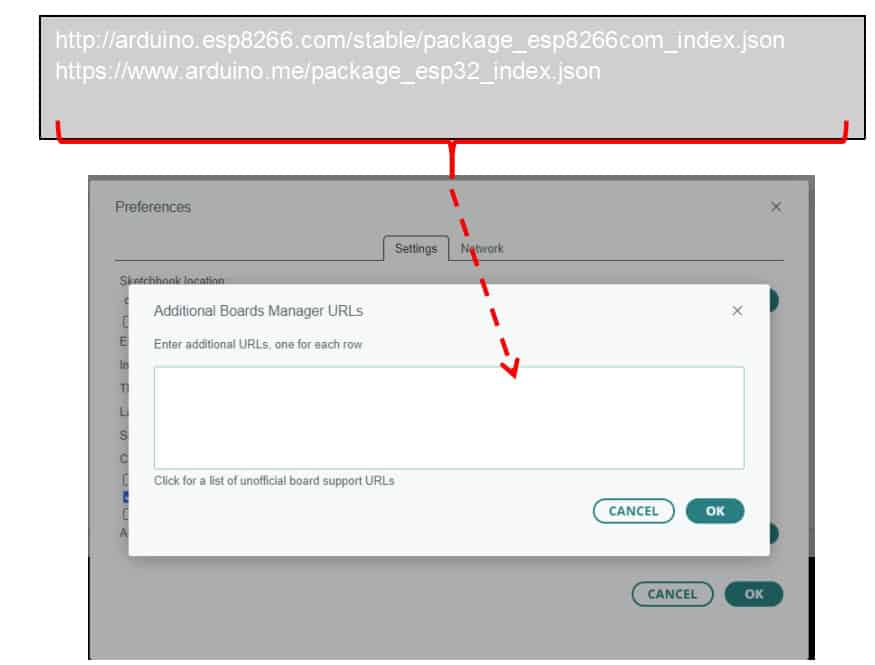
Add the development board management address URL. #
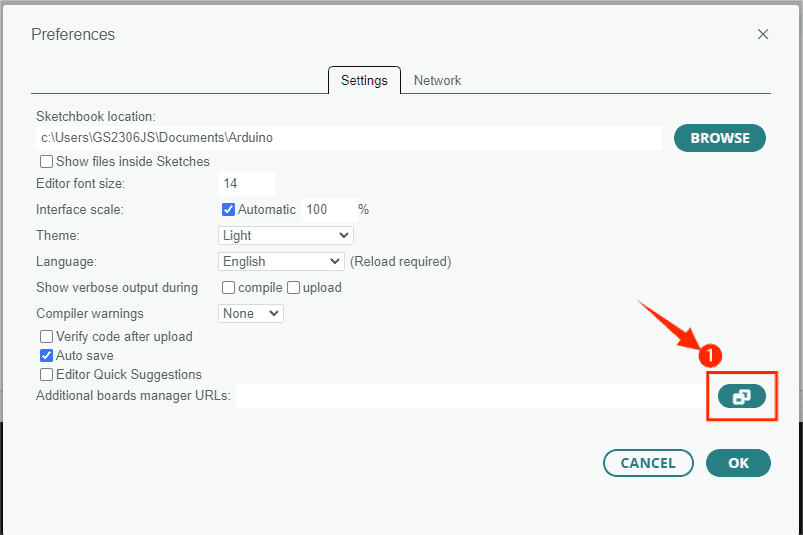
Copy the URL in the lower box and add it to the “Additional Boards Manager URLs”. #
http://arduino.esp8266.com/stable/package_esp8266com_index.json
https://www.arduino.me/package_esp32_index.json
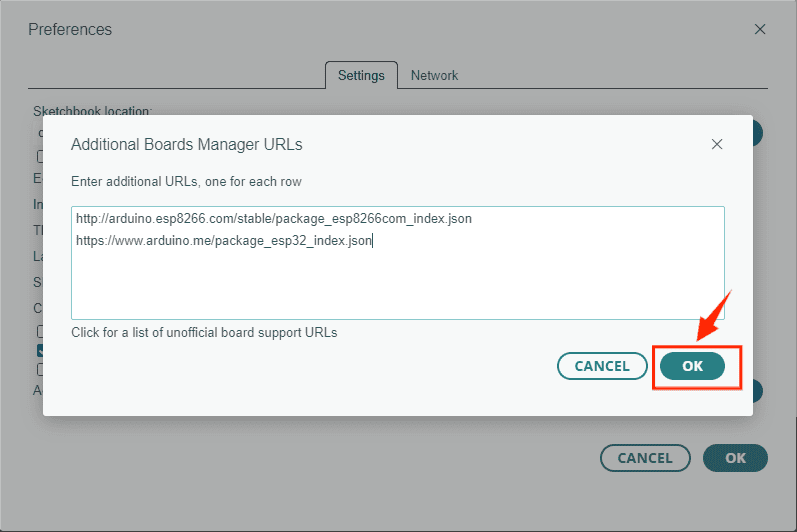
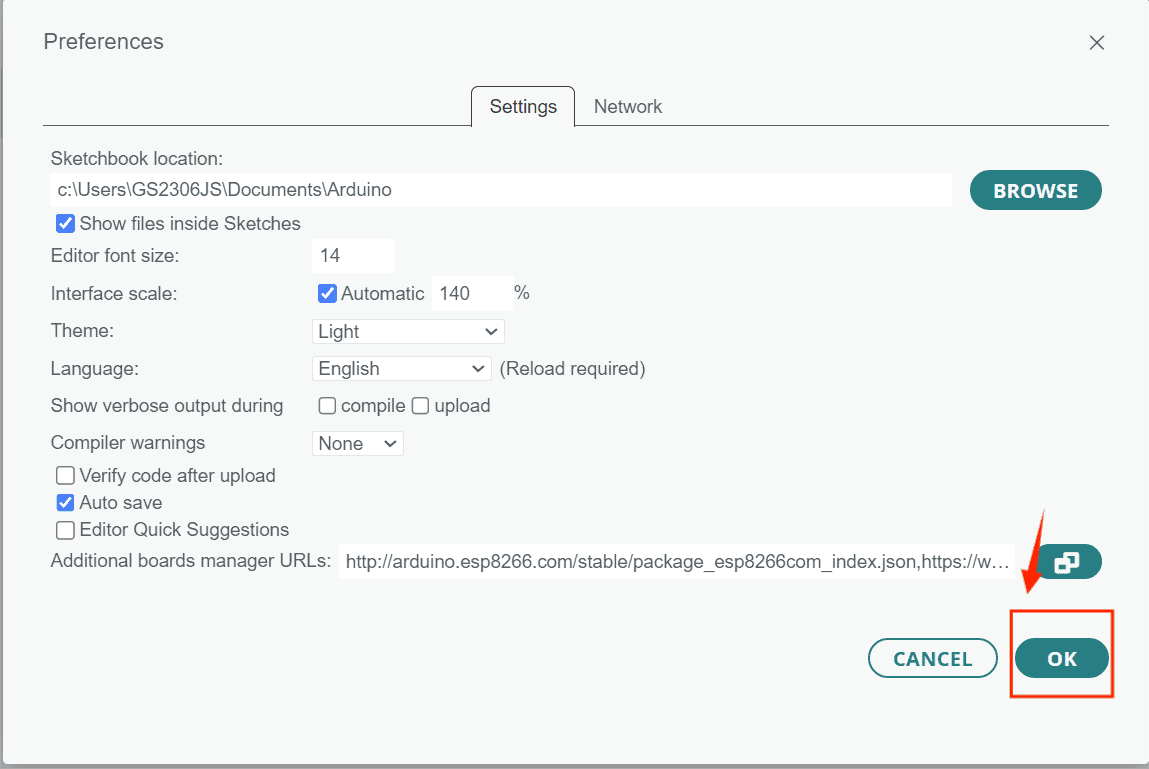
After adding the URL, click “OK”. #
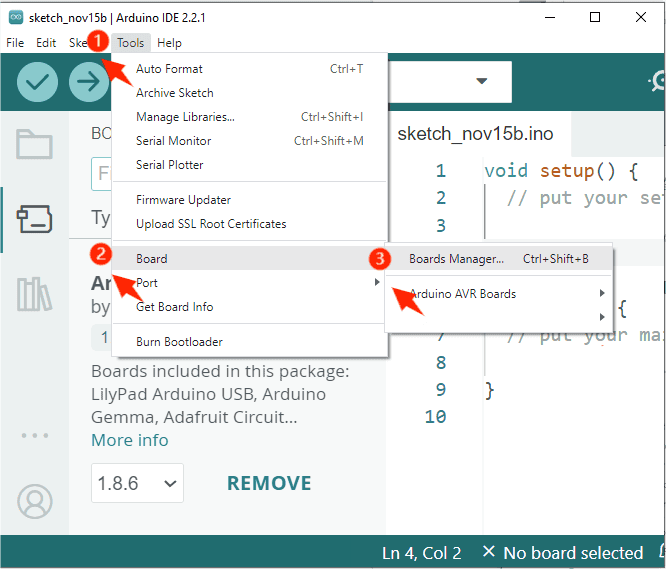
Click Tools > Board > Boards Manager. #
Search for “ESP32” in the BOARDS MANAGER’s search bar and install it. #
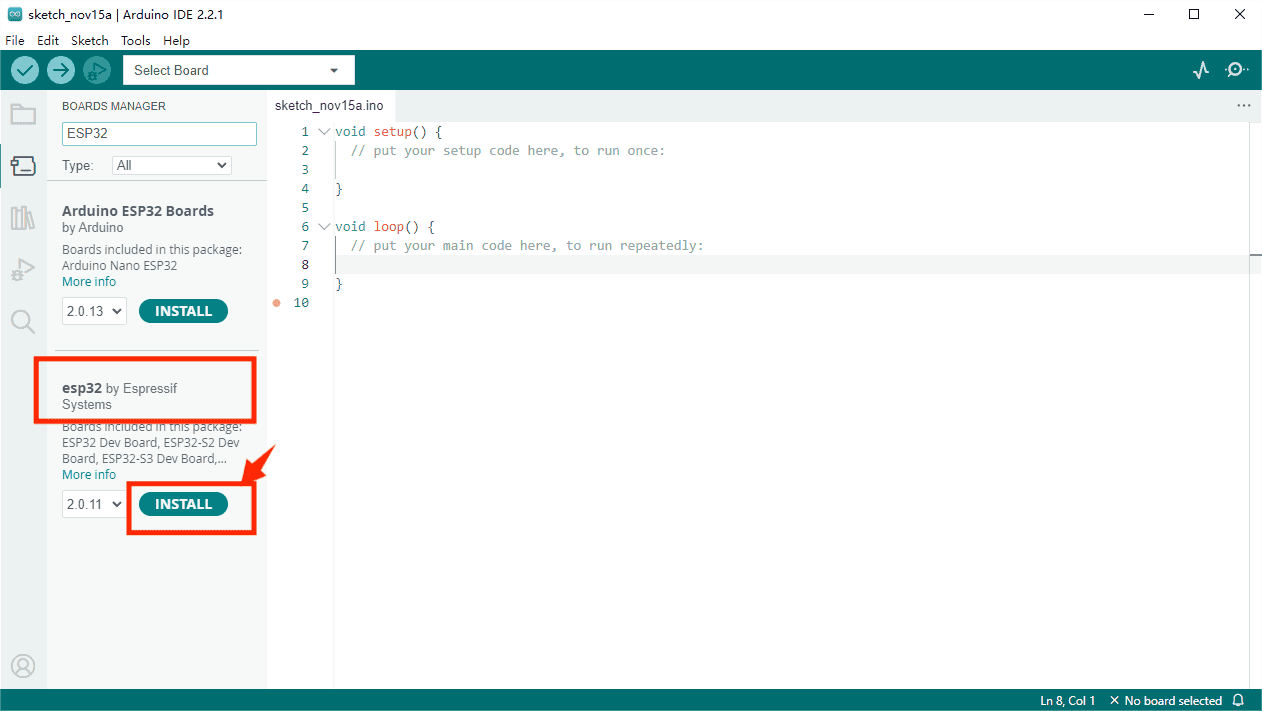
If the following screen appears, please wait until the installation is complete then turn off the Arduino IDE. #
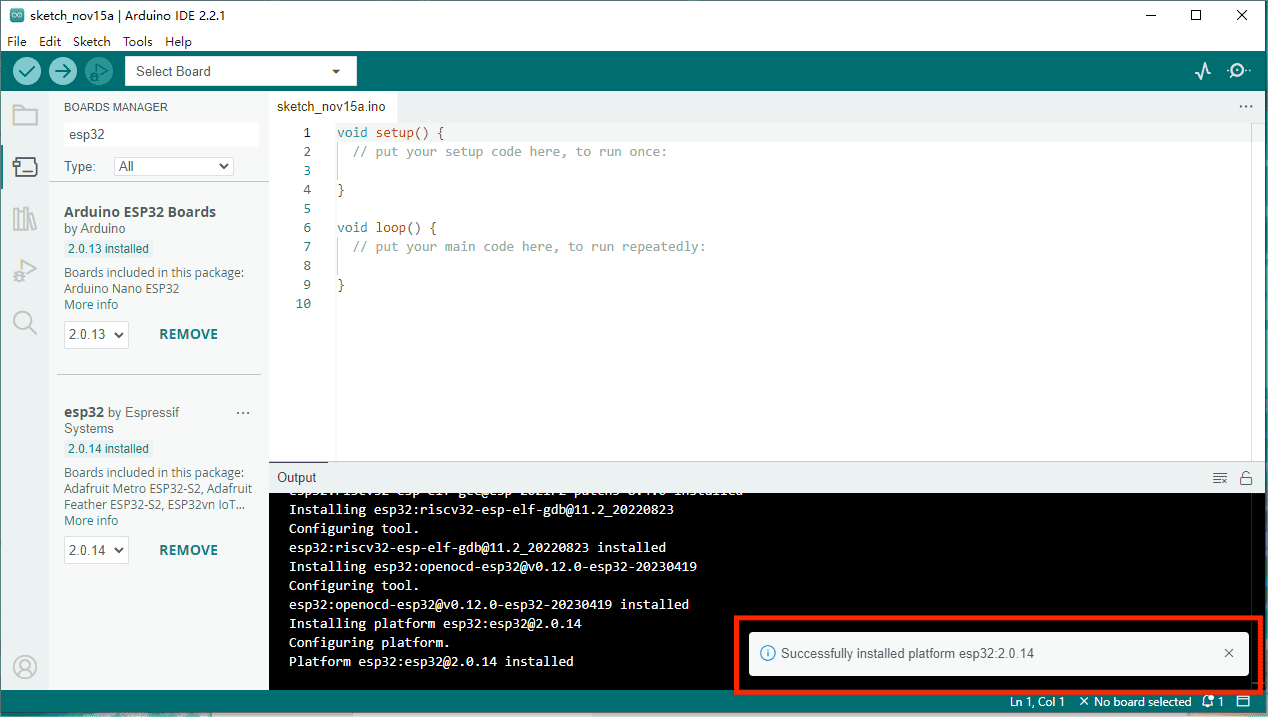
Open the Arduino IDE again and select Tools > Board. You will see the esp32 board appear.