

What is the Arduino IDE?
Arduino IDE is a software designed for Arduino hardware development; it provides an easy-to-use graphical interface that allows users to write, compile, and upload code to Arduino boards. The goal of the Arduino IDE is to simplify the programming process so both beginners and professionals can easily develop microcontroller applications.
What is the relationship between the ESP32 and the Arduino platform?
Arduino IDE is programming software, and the ESP32 is a low-cost, low-power, highly integrated WiFi and Bluetooth dual-mode microcontroller chip developed by Espressif.
ESP32 and Arduino IDE are respectively hardware and programming software,ESP32 supports programming on the Arduino IDE. The ESP32 development board is suitable for advanced projects that require higher processing power and connectivity, such as smart home applications, industrial automation, and IoT devices.
Why choosing the correct Arduino IDE version and configuration is important.
Choosing the correct Arduino IDE version and configuration is essential for users, mainly in the following aspects:
(1) Function support and board recognition
Different versions of the Arduino IDE vary in their support for hardware and features. For example, newer versions (such as 1.8.4 or 2.0) can recognize more new model boards (such as the ESP32-S3) and have improved serial monitor support for special characters like Chinese12. If the version is too old, it may fail to recognize hardware or lack features.
(2)Improved development efficiency
Newer versions typically introduce useful features to improve efficiency. Arduino IDE 2.0 supports code completion and quick source navigation, significantly reducing coding and debugging time. New versions also optimize the build process, shortening wait times
(3)Avoid compatibility issues
Version or configuration errors can cause compilation failures. For example,library file conflicts or missing drivers can trigger errors like “unable to compile.” Choosing a version that matches the operating system can reduce such issues.
Choosing the correct Arduino IDE version and configuration directly affects development efficiency, hardware performance, and project stability. It is recommended to select the officially recommended version based on hardware requirements and to configure parameters appropriately to optimize the development experience
If you are preparing to install the Arduino programming environment on an ESP32, the following content will provide you with clear guidance.
Overview of Mainstream Arduino IDE Versions
4.1.Arduino IDE 1.8.x
Advantages: lightweight, good compatibility, low resource usage.
Disadvantages: outdated interface, slow plugin updates.
Suitable for: beginners or users with low-performance computers.
4.2. Arduino IDE 2.x
Advantages: Modern interface, built-in code auto-completion, supports multi-window operations.
Disadvantages: Higher performance requirements for older devices.
Suitable for: Users who want a more efficient, intelligent development experience.
For the vast majority of ESP32 beginners, it is recommended to use Arduino IDE 2.x. This version is stable, user-friendly, and offers better support for the ESP32.
How to download Arduino
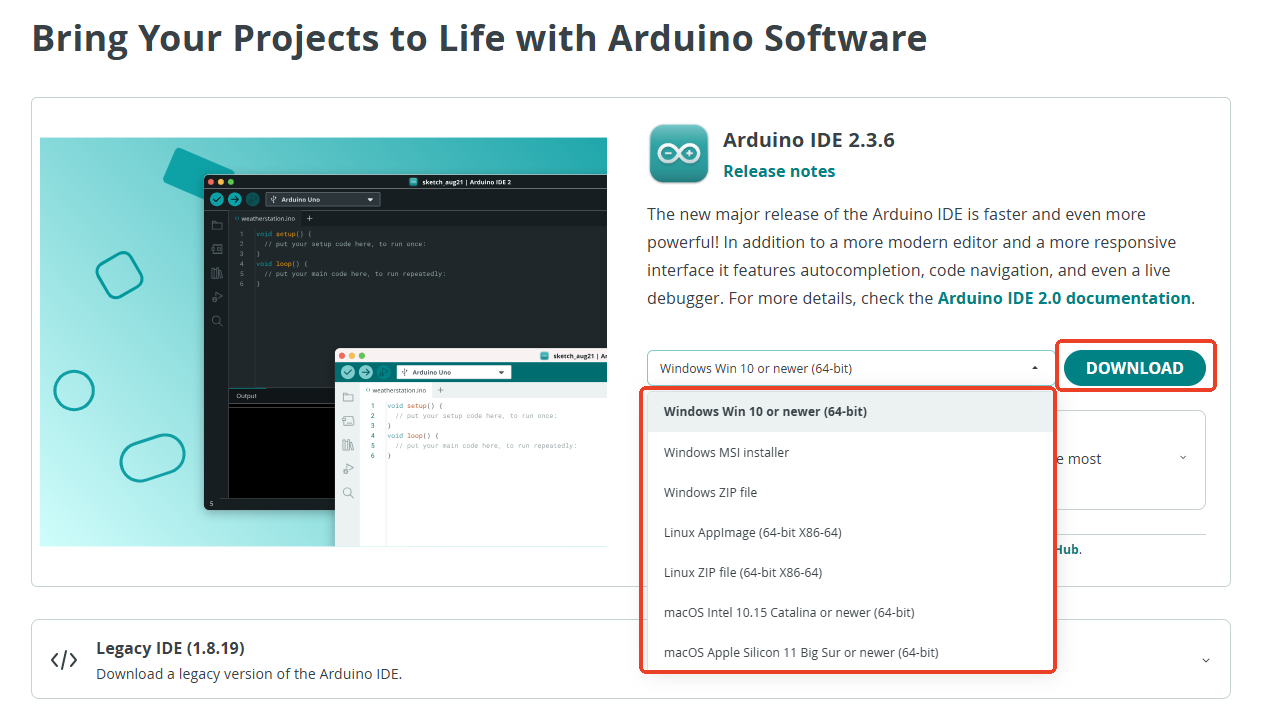
Arduino Download Page
Download URL: arduino.cc/en/software

How to install Arduino IDE in ESP32:
1. After opening the website, select the appropriate version as shown belowDownload.
2.Click “JUST DOWNLOAD”


3.When the following interface appears, it indicates that the Arduino IDE is downloading.

4. When the download is complete, an .exe file will appear; click to install the software.

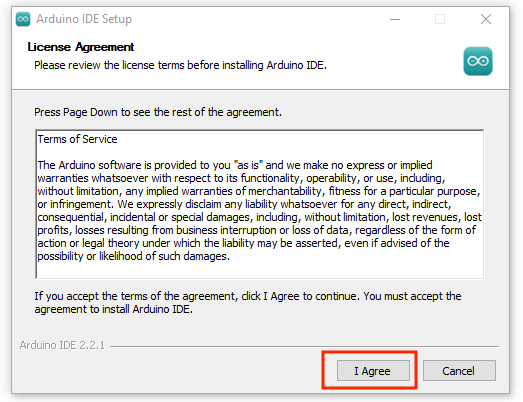
5. After installation, the following screen will appear; choose “I Agree.”
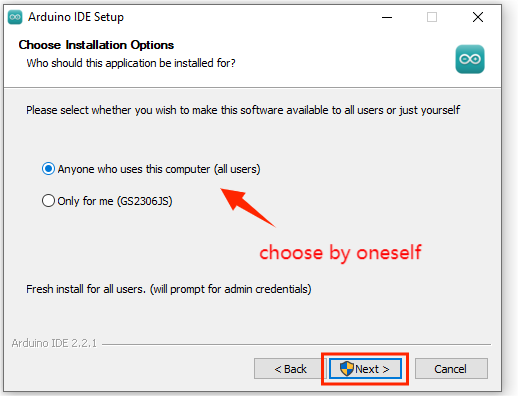
6. After selecting “I Agree,” the following screen will appear; choose “Next.”
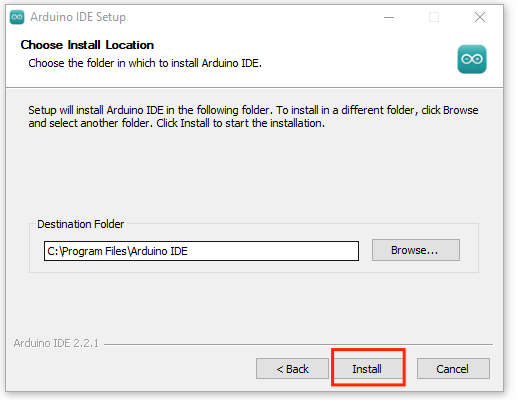
7. After selecting “Next,” the following screen will appear; choose “Install.”
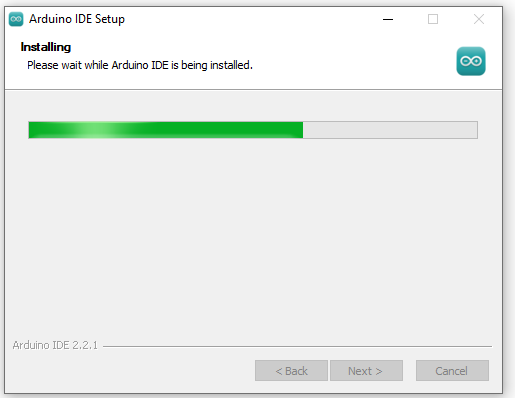
8. Arduino IDE software is being installed.
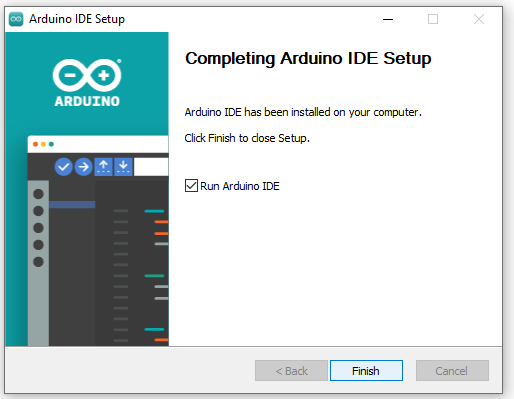
9. Installation complete.
10. After the installation is complete, a shortcut icon for Arduino IDE will appear on the computer desktop.

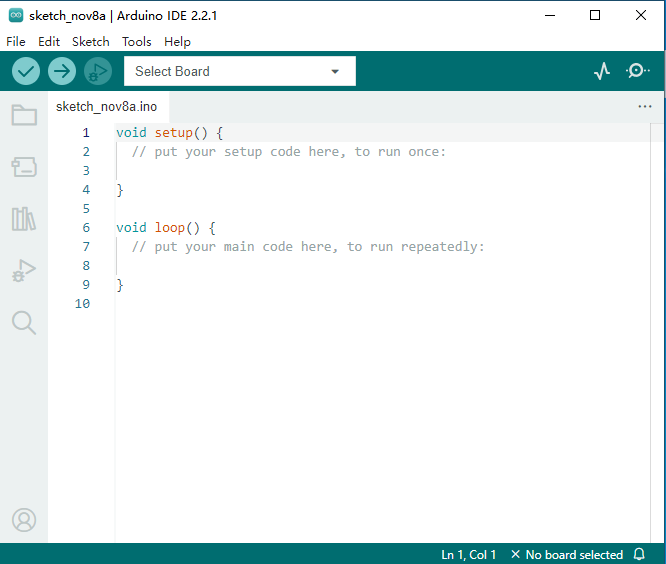
11. After opening it, the following interface will appear.

Recommended STEM kits compatible with Arduino
If you want to further explore the programming potential of the ESP32, ACEBOTT offers multiple STEM education and maker kits based on the ESP32 platform. These ESP32 programming kits are not only compatible with the Arduino IDE, but also come with a wealth of sensors, expansion modules, and teaching examples, making them ideal for classroom instruction, maker experiments, and learning to program.
To learn more about programmable ESP32 kits and application scenarios, please visit the ACEBOTT ESP32 Kits page.
Conclusion
No matter which version of the Arduino IDE you choose, understanding the environmental differences and mastering the correct configuration are key steps to running the Arduino IDE on the ESP32.
From beginner programming to project implementation, the combination of ESP32 and Arduino provides an excellent starting point for learning electronics and automation.
Begin your ESP32 learning journey and let creation start with a successful upload.